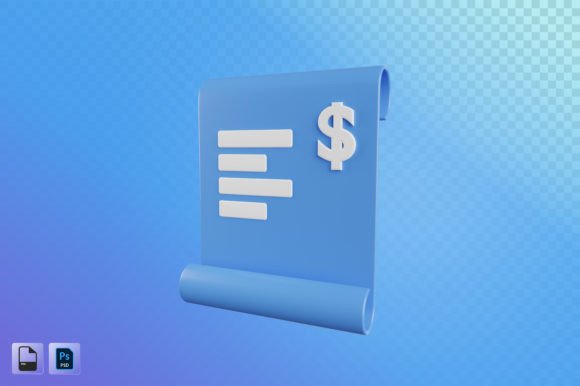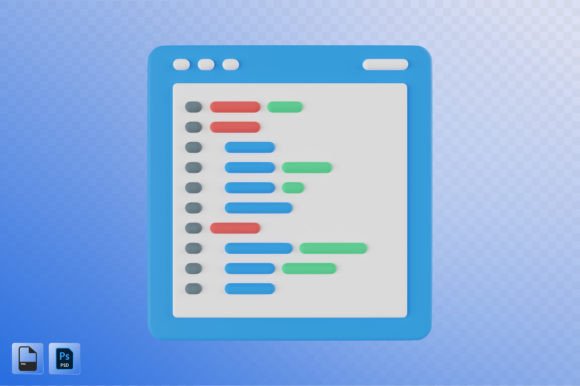
Enhancing Web Programming with 3D Illustration
In the ever-evolving world of web programming, visual appeal and user experience are just as crucial as functionality. One of the most impactful ways to elevate a digital project is through the use of 3D illustration. These illustrations offer a dynamic and engaging way to present information, making them ideal for a wide range of applications including design needs, app development, UI/UX design, web design, presentations, posters, social media advertising, and content creation.
What Is a 3D Illustration?
A 3D illustration is a digital image that appears three-dimensional by using techniques like shading, lighting, perspective, and depth. Unlike traditional 2D graphics, these illustrations provide a more realistic and immersive visual experience. When integrated into web programming projects, they can transform static interfaces into interactive and visually rich environments.
For developers and designers, a Web Programming 3D Illustration typically comes in high-resolution formats such as 3000x3000 pixels, ensuring it looks sharp on any device. Files are often provided in both PSD (Photoshop Document) and PNG (Portable Network Graphics), offering flexibility in editing and application.
Why Use 3D Illustrations in Web Programming?
The integration of 3D illustrations into web programming serves several important purposes:
- Visual Engagement: 3D illustrations capture attention better than flat images or text alone.
- Clarity and Communication: They can simplify complex concepts, especially in educational or technical websites.
- Brand Identity: Custom 3D visuals help establish a unique and professional brand presence.
- Modern Aesthetic: With the rise of 3D trends in design, using these elements keeps your website up-to-date and stylish.
Key Features and Characteristics
When you work with a Web Programming 3D Illustration, you’re not just getting an image—you're getting a versatile asset that can be tailored to fit different contexts. Here are some key features to consider:
- High Resolution: At 3000x3000 pixels, these illustrations are perfect for large displays and detailed zooming without losing quality.
- Layered PSD Files: Allow for easy customization and reusability across various platforms and projects.
- Transparency Support: PNG files with transparent backgrounds make it simple to place illustrations over any background color or image.
- Scalable Design: The assets maintain their quality at any size, which is essential for responsive web design.
Who Can Benefit from 3D Illustrations?
Anyone involved in digital content creation can benefit from using 3D illustrations. Whether you're a freelance designer, a web developer, a startup founder, or a marketing professional, these illustrations can enhance your work in multiple ways:
- Designers: Use 3D illustrations to create eye-catching layouts and mockups.
- Developers: Incorporate them into web apps or mobile interfaces for a modern look.
- Business Owners: Showcase products or services in a visually compelling manner.
- Content Creators: Add depth and realism to blog posts, infographics, and online courses.
- Marketers: Develop engaging ad campaigns and promotional materials that stand out.
Real-World Applications of 3D Illustrations
Let’s explore how 3D illustrations are used in practical scenarios:
1. UI and UX Design
In user interface (UI) and user experience (UX) design, 3D illustrations help visualize interactions and spatial relationships. For example, when designing a new app, a 3D illustration might depict a virtual product in action, helping users understand its function before they interact with the actual interface.
2. E-commerce Websites
E-commerce platforms often rely on high-quality visuals to showcase products. A 3D illustration can display a product from all angles, highlight details, and even simulate real-world usage—without requiring physical photography.
3. Educational Platforms
Online learning sites frequently use 3D illustrations to explain difficult topics. For instance, a biology course might include a 3D model of the human heart, while a tech tutorial could show a server network in 3D form. This enhances comprehension and retention among learners.
4. Social Media Advertising
With the increasing importance of visual storytelling, 3D illustrations are invaluable in creating ads that pop. They allow brands to communicate messages creatively and memorably, whether on Instagram, Facebook, or LinkedIn.
5. Presentations and Reports
Whether you're pitching a new idea or presenting data, 3D illustrations add a layer of professionalism and clarity. They help break down complex processes or data sets into digestible visual components.
Strengths and Limitations of Using 3D Illustrations
While 3D illustrations bring many advantages, there are also a few things to keep in mind when considering their use:
Strengths
- Increased Engagement: Users tend to spend more time on pages with rich, visual content.
- Flexibility: Available in multiple file formats, they can be adapted for print, web, or video.
- Customization: Easily editable layers let you tweak colors, shapes, and elements to match your branding or design goals.
- Cost-Effective: Compared to 3D modeling or animation, illustrations offer a scalable and budget-friendly alternative.
Considerations and Limitations
- File Size: High-resolution 3D illustrations can be large, potentially affecting page load times if not optimized properly.
- Technical Skills Required: While the illustrations themselves are ready to use, integrating them effectively may require knowledge of design tools like Photoshop or Figma.
- Not Suitable for All Projects: In cases where simplicity is key, a 3D illustration might be too overwhelming or distracting.
How to Choose the Right 3D Illustration for Your Project
Selecting the right Web Programming 3D Illustration involves understanding your audience, your message, and your platform. Here are some tips to guide your decision:
- Define the Purpose: Are you trying to explain a process, showcase a product, or enhance aesthetics? Each goal requires a different style and approach.
- Match the Style: Ensure the illustration aligns with your brand's tone and visual identity—whether it’s minimalist, bold, or playful.
- Consider Platform Compatibility: Make sure the illustration format works well with your CMS, framework, or design tool.
- Test Responsiveness: Always preview how the illustration looks on different screen sizes and resolutions.
Practical Expectations and Best Practices
Here’s what you can realistically expect when working with 3D illustrations:
- They Require Time to Integrate: While the illustration itself is ready-made, placing it into a live environment might take some effort.
- Optimization Is Key: Compress PNGs and convert PSDs appropriately to ensure fast loading speeds.
- Use Sparingly for Impact: Overusing 3D illustrations can clutter your design. Use them strategically where they add the most value.
- Combine with Other Visual Elements: Pair 3D illustrations with icons, photos, and typography to create a balanced and cohesive layout.
Getting Started with Web Programming 3D Illustration
If you're thinking about incorporating 3D illustrations into your next project, here’s a quick roadmap to get you started:
- Identify the Need: Determine where a 3D illustration would best serve your project—product demos, infographics, or background visuals.
- Source or Create the Illustration: You can either purchase a pre-designed 3D illustration or collaborate with an illustrator to create one from scratch.
- Edit and Customize: Open the PSD file in Adobe Photoshop or similar software to adjust colors, layers, and effects.
- Export and Optimize: Save the final version as a PNG and compress it for optimal performance on your site or platform.
- Integrate Seamlessly: Use HTML and CSS to embed the illustration, ensuring it fits naturally within your existing design.
Tools and Resources
Several tools can help you manage and implement 3D illustrations in your web projects:
- Adobe Photoshop: Ideal for editing layered PSD files.
- Figma or Sketch: Great for integrating illustrations into web and app designs.
- Blender: For those who want to create custom 3D models and export them for illustration use.
- Three.js or WebGL: Useful for embedding animated 3D content directly into web pages.
Final Thoughts
Web Programming 3D Illustration is more than just a trend—it’s a powerful tool for improving user engagement, communication, and overall design quality. Whether you're building a new website, designing an app, or crafting a presentation, these illustrations can help you achieve your goals more effectively.
However, success with 3D illustrations depends on thoughtful planning and execution. Understanding the strengths and limitations will help you make informed decisions and avoid common pitfalls. By choosing the right illustration and integrating it wisely, you can unlock new levels of creativity and functionality in your web projects.